LKBEN11821: How to reset a Windows 11 Installation.
Symptom
You need to reinstall your windows 11 system.
Cause
Something is going wrong, a new installation might help.
Solution
To reset your Windows 11 installation you open your settings and search for "System" -> "Recovery" -> Reset this PC.
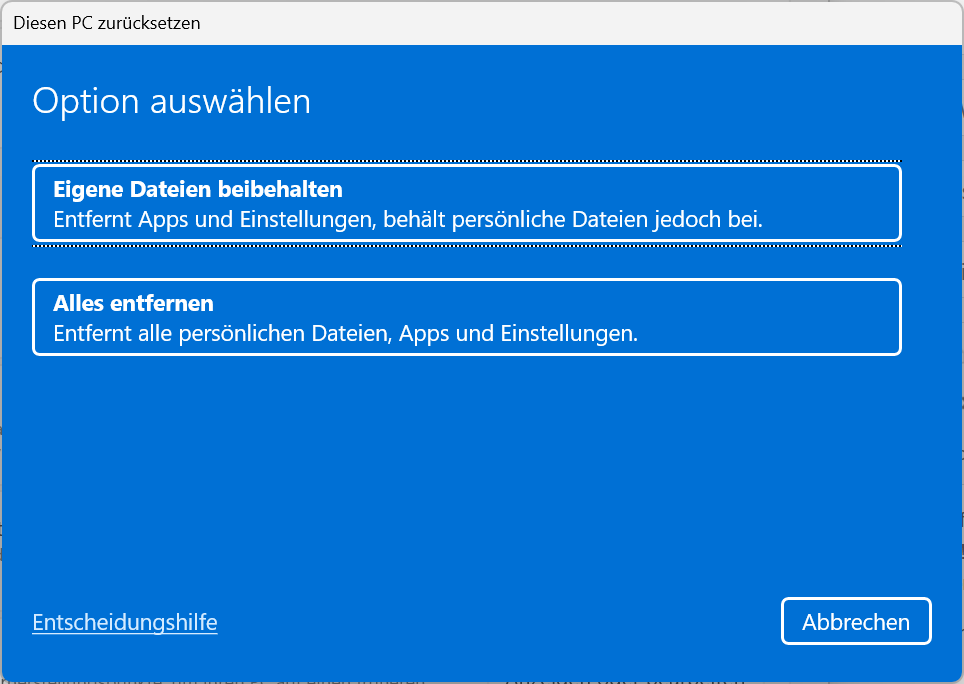
You will be asked if you want to keep your files or remove everything. For a clean installation you should remove everything! I always use a local install and do not use the cloud download. You will be asked a few more more questions but the final reset will start by clicking the "Reset" button.
You can also use the powershell to start the reset. This following commands will show you the the UI window to start the Reset.
start ms-settings:recovery

.\SystemSettingsAdminFlows.exe featuredresetpc
The first command will start your windows settings and the second will start the UI Window.
Hope this helps.
Disclaimer:
The information provided in this document is intended for your information only. Lubby makes no claims to the validity of this information. Use of this information is at own risk!About the Author
Author: - Keskon GmbH & Co. KG
Wim Peeters is electronics engineer with an additional master in IT and over 30 years of experience, including time spent in support, development, consulting, training and database administration. Wim has worked with SQL Server since version 6.5. He has developed in C/C++, Java and C# on Windows and Linux. He writes knowledge base articles to solve IT problems and publishes them on the Lubby Knowledge Platform.
Latest update: 30.07.2026